[FROM THE ARCHIVES] Week 2, Google denies my app.
Will Blew ·
"Song A Day", died before it started

So this week I decided to make an app that I would use every day. This app was simple since I started late. All it did was reach out to Lastfm and provide the top track for the day. This would show me new music and keep things fresh on the drive to work.
My original intent was to use Spotify, with the sdk player. This didn't work out because the SDK was over complicated and the player required a premium account. I also found the application registration a bit overboard. I even looked for a public chart endpoint but it looked like everything required auth. I didn't want to have to deal with more than an API key honestly.
After deciding that Spotify was too much for this iead I moved on to SoundCloud. Soundcloud's website uses an API but you need to auth and to do all of that it would be more than it's worth.
After this I moved on to Lastfm, got an API key and started the JSON Parser. It looks like this.
ParseJSON.java
package willblew.com.songaday;

import org.json.JSONArray;
import org.json.JSONException;
import org.json.JSONObject;

public class ParseJSON {

/**
     * [] for future use. Maybe a NEXT button.
     */
    public static String[] Url;
    public static String[] Name;
    public static String[] Artist;
    public static String[] Artwork;

//json string
    private String json;

//Keys
    public static final String KEY_URL = "url";
    public static final String KEY_NAME = "name";
    public static final String KEY_ARTIST = "name";
    //Nested
    public static final String KEY_ART = "#text";

//song array
public static final String JSON_ARRAY = "track"; //We should target nested value here
    private JSONArray song = null;

public ParseJSON(String json){
        this.json = json;
    }

protected void parseJSON(){
        JSONObject jsonObject=null;
        try {
            jsonObject = new JSONObject(json);
            song = jsonObject.getJSONObject("tracks").getJSONArray(JSON_ARRAY);

//Construct things
            Url = new String[song.length()];
            Name = new String[song.length()];
            Artist = new String[song.length()];
            Artwork = new String[song.length()];

for(int i=0;i<song.length();i++) {
                JSONObject jo = song.getJSONObject(i);
                Url[i] = jo.getString(KEY_URL);
                Name[i] = jo.getString(KEY_NAME);
                Artist[i] = jo.getJSONObject("artist").getString(KEY_ARTIST);
                JSONArray arts = jo.getJSONArray("image");
                for (int j = 0; j < 3 ; j++) {
                    //get #3 (large) use loop so I can expand on this for the next? button thing.
                    JSONObject a = (JSONObject)arts.get(j);
                    Artwork[0] = a.getString(KEY_ART);
                }
            }
        } catch (JSONException e) {
            e.printStackTrace();
        }
    }

}
The next day I just spend fiddling with this so it looks how you see above. I made it so it would allow me to expand to add a "Next" button for more trending songs.
After this I wrote up all of the hackery to make the UI get the information it needed. This code set the TextView text, album art in a WebView, and some regex that's 100% unnecessary since I could just use stringify.
MainActivity.java
package willblew.com.songaday;

import android.content.res.AssetManager;
import android.graphics.Typeface;
import android.support.v7.app.AppCompatActivity;
import android.os.Bundle;
import android.webkit.WebView;
import android.widget.TextView;
import android.widget.Toast;
import com.android.volley.RequestQueue;
import com.android.volley.Response;
import com.android.volley.VolleyError;
import com.android.volley.toolbox.StringRequest;
import com.android.volley.toolbox.Volley;
import com.google.android.gms.ads.AdRequest;
import com.google.android.gms.ads.AdView;
import com.google.android.gms.ads.MobileAds;

import java.util.ArrayList;
import java.util.Arrays;
import java.lang.String;
import java.util.List;
import java.util.regex.Matcher;
import java.util.regex.Pattern;

public class MainActivity extends AppCompatActivity {

private static final String key = "";
    public static String urlz = "";
    public static Typeface custom;
    public static Integer refresh = 1;
    public static final String JSON_URL = "http://ws.audioscrobbler.com/2.0/?method=chart.gettoptracks&api_key=" + key + "&format=json&limit=" + refresh;
    ;
    @Override
    protected void onCreate(Bundle savedInstanceState) {
        super.onCreate(savedInstanceState);
        setContentView(R.layout.activity_main);
        sendRequest();
        //Dirty action bar hide.
        getSupportActionBar().hide();

//Let's support our custom font.
        AssetManager am = getApplicationContext().getApplicationContext().getAssets();
        custom = Typeface.createFromAsset(am,"fonts/ka1.ttf");

}

private void showJSON(String json) {
        setSong(refresh,json);
    }

private void setSong(Integer limit, String json) {
        ParseJSON pj = new ParseJSON(json);
        pj.parseJSON();

/**
         * Yes, I'm aware this is hax at best
         * Just make things.
         * Make things, get better.
         * That is my goal.
         */
        TextView t = (TextView)findViewById(R.id.textView);
        t.setTypeface(custom);
        t.setText("'" + removeBracet(Arrays.toString(ParseJSON.Name)) + "'");
        TextView artist = (TextView)findViewById(R.id.textView4 );
        artist.setTypeface(custom);
        artist.setText(removeBracet(Arrays.toString(ParseJSON.Artist)));
        String url = Arrays.toString(ParseJSON.Artwork);
        urlz = Arrays.toString(ParseJSON.Url);
        urlz = removeBracet(urlz); // This should just be stringified. //TODO // FIXME: 6/13/2016
        WebView web = (WebView)findViewById(R.id.webView);
        url = removeBracet(url);
        //open url in webview with stylez
        web.loadData("<html><head><style type='text/css'>body{margin:auto auto;text-align:center;} img{width:100%25;} </style></head><body><img src='" + url + "'/></body></html>" ,"text/html",  "UTF-8");
        //set text of url for info
        TextView u = (TextView)findViewById(R.id.textView2);
        u.setText(urlz);
    }

private String removeBracet(String rep) {
        rep = rep.replace("[","");
        rep = rep.replace("]","");
        return rep;
    }

private void sendRequest(){

StringRequest stringRequest = new StringRequest(JSON_URL,
                new Response.Listener<String>() {
                    @Override
                    public void onResponse(String response) {
                        showJSON(response);
                    }
                },
                new Response.ErrorListener() {
                    @Override
                    public void onErrorResponse(VolleyError error) {
                        Toast.makeText(MainActivity.this,error.getMessage(),Toast.LENGTH_LONG).show();
                    }
                });

RequestQueue requestQueue = Volley.newRequestQueue(this);

requestQueue.add(stringRequest);
    }

public static List<String> extractUrls(String text)
    {
        //Use regex rip things
        List<String> containedUrls = new ArrayList<String>();
        String urlRegex = "((https?|ftp|gopher|telnet|file):((//)|(\\\\))+[\\w\\d:#@%/;$()~_?\\+-=\\\\\\.&]*)";
        Pattern pattern = Pattern.compile(urlRegex, Pattern.CASE_INSENSITIVE);
        Matcher urlMatcher = pattern.matcher(text);

while (urlMatcher.find())
        {
            //Throw them in the bucket.
            containedUrls.add(text.substring(urlMatcher.start(0),
                    urlMatcher.end(0)));
        }

return containedUrls; // Found em.
    }
}
It ended up looking like this
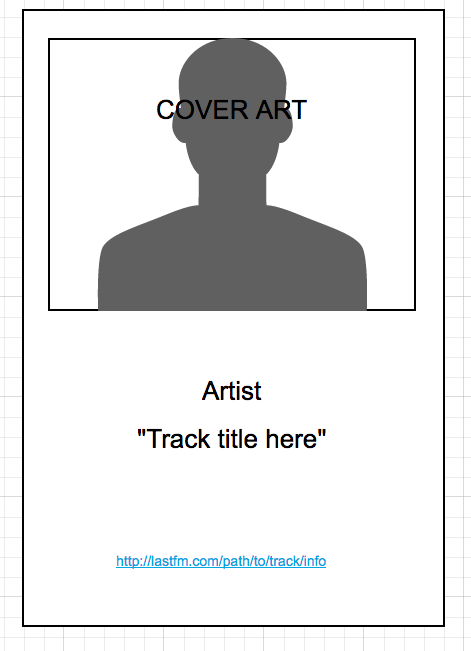
I've mocked this out to prevent any further frivolous complaints (read below).
The best part was when I submitted to the Google Play Store. I submitted with a VERY pixilated and crystallized album art image from Drake's newest release. This submission was promptly denied. I got the point. I then changed it to what you see above. I didn't save the original. After submitting the app again I figured it would all be good. It was not. My app was simply denied for pulling an image to a webview. Because I don't own the image I can't even pull and display it from a public web page. Lesson learned, submit apps like this to 3rd party stores that foster creativity.
So this app is not on the store, and never will be. So I'll be making a follow up post with the full repo soon. I'd like to add some functionality and break it down further in a future post. I'll also be adding this repo to my Github once I clean it up a bit more.
For now if you want to use the code above all you need to do is copy the classes, import Volley, and get a Lastfm API key.
Check out the video for this week
[

Comments
Nothing here yet.